How-to guide
Let buyers preview your art on their wall
Getting your artwork onto buyers' walls takes about the same effort as posting it on Instagram. Three steps, one minute.

Dreamy Sleeping Elephant
50 × 50 cm
mygallery.blenda.art/dreamy-sleeping-elephant
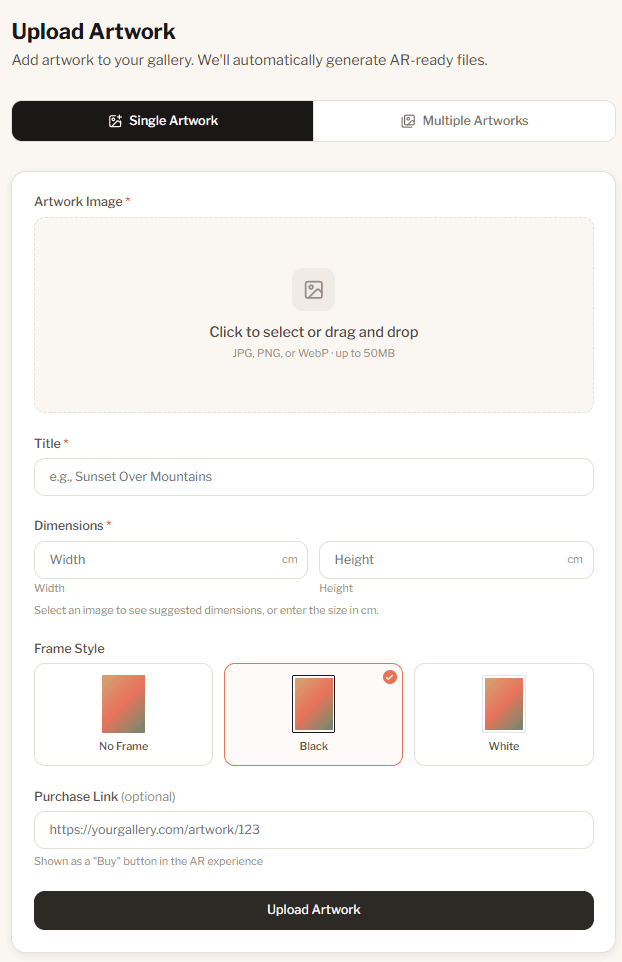
Upload your artwork
Head to your dashboard and tap Upload Artwork. Pick a photo, give it a title, and enter the dimensions in cm.
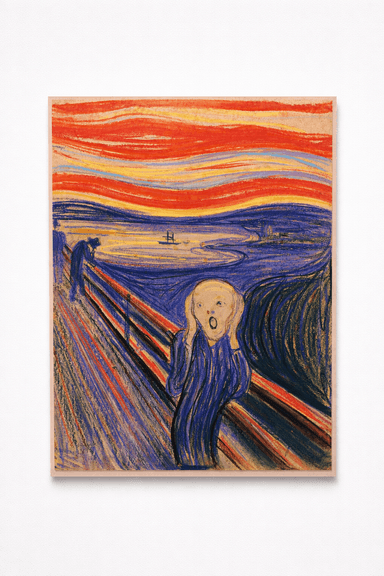
Image tip
 ✕
✕ ✓
✓The photo should show only the artwork: no white borders, no room background, and no other objects in the frame.
Frames
Selling the frame with the artwork? Upload a photo that includes the frame. Otherwise, you can add a frame style directly in the upload form.
Dreamy Sleeping Elephant
50 × 50 cm
mygallery.blenda.art/dreamy-sleeping-elephant
Share the link
Once uploaded, every artwork gets its own shareable link. Find it in your artwork list and tap the copy button to grab it.
Use it anywhere: on your website, in emails to interested buyers, on social media, or in your newsletter.
Shopify
Running a Shopify store? Get Blenda from the Shopify App Store. It imports your products, connects the button, and follows your size variants automatically.
WordPress / WooCommerce
Running a WooCommerce shop? Install our WordPress plugin to add a "Preview on your wall" button directly to your product pages.
All sharing options are included in every plan. See pricing →
Running an art platform? See API integration →
Buyers preview at home
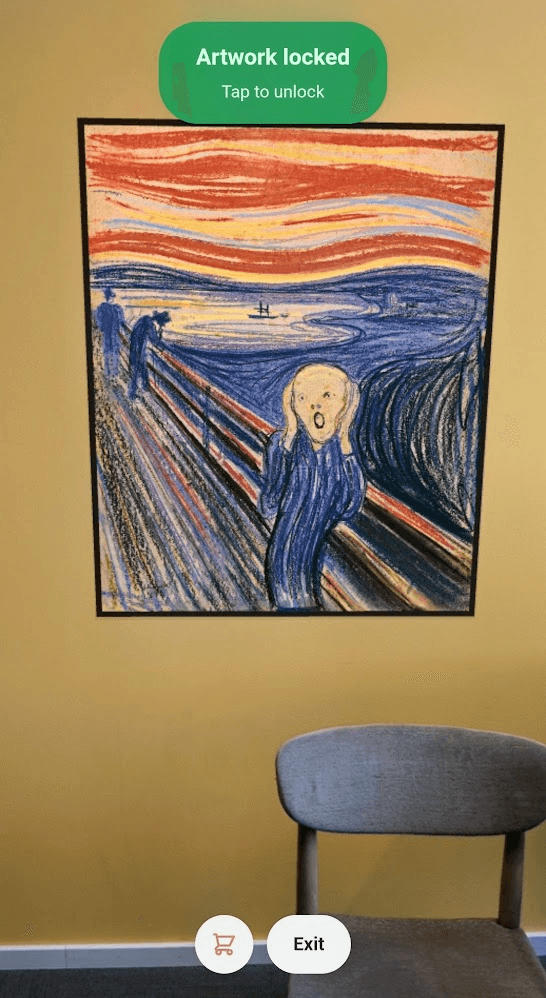
When a buyer opens the link on their phone, they point it at their wall and the artwork appears, at the exact real-world size. No app to download, nothing to install.
They can walk around, step back, compare it to their furniture. If you added a purchase link, there's a buy button right there in the experience.
Works on iPhones and Android phones, any modern smartphone with a camera.
Common questions
Yes. We use the dimensions you entered to display the artwork at its real physical size. There can be small differences depending on whether the viewer followed the guide closely and on the sensor quality of the device. The result is still precise enough to judge fit and proportions with confidence.
Nope. They just open the link in their phone's browser and point it at the wall. No app, no sign-up, no friction.
Yes. Add a purchase link when you upload (or edit it in later). Buyers will see a "Buy" button while they're looking at the artwork on their wall.
On Shopify, install Blenda from the Shopify App Store. On WooCommerce, install our free WordPress plugin. Both add "Preview on your wall" buttons to every product page and keep your artwork in sync.
Ready to get your art off the screen and onto their walls?
Free to start. No credit card required.
Upload your first artwork →Already have an account? Sign in